



Is It Safe to Email Yourself Your Seed Phrase
Is It Safe to Email Yourself Your Seed Phrase
No, it is not safe to email yourself your seed phrase. An email is not a private note to yourself. It is a copy stored on your provider’s servers, on every device that syncs that mailbox, and in backups you do not control. Once those words travel by email, your seed phrase is no longer offline, and you cannot reliably delete every copy.
Why emailing your seed phrase is unsafe
A seed phrase is the master key to your bitcoin. Anyone who has the words, in the correct order, can recreate your wallet on their own device and move the funds. There is no password reset, no fraud department, and no way to cancel a transaction once it is confirmed.
Email multiplies the copies of that key. When you send the message, a copy sits in your Sent folder. Another sits in your Inbox if you addressed it to yourself. Your provider stores copies on its servers and in its backups. Your phone, tablet, and computer each download a copy when they sync. If you ever forwarded it, printed it, or replied to the thread, there are more copies still.
Email is also searchable and long lived. People rarely delete old messages, and even a deleted message often remains in trash, archives, or server backups for weeks or months. An attacker who gains access to your mailbox years later can search for words like seed, wallet, or backup and find the message in seconds.
Finally, email accounts get compromised in ways that have nothing to do with your seed phrase. A reused password, a phishing link, a leaked database, or a SIM swap can hand an attacker your inbox. At that point, your bitcoin backup is sitting in the same account they just opened.
Is it safe to email yourself your seed phrase if you delete it right away
No, deleting the message does not make it safe. Deleting removes it from the folder you can see. It does not reliably remove it from the provider’s servers, from backups, from synced devices that already downloaded it, or from any device that took an automatic backup of your mailbox.
The same applies to drafts. An unsent draft is still stored on the provider’s servers and synced to your devices. A draft is not a private local note. It is a cloud document with your seed phrase inside it.
If you have already emailed your seed phrase, treat that phrase as exposed, even if you deleted the message. The safest response is to move your bitcoin to a new wallet with a fresh seed phrase, then store the new phrase offline. The guide to trasladar bitcoins a un nuevo monedero con una frase de semillas nueva walks through that move step by step.
What about emailing an encrypted or disguised copy
Encryption helps, but email is still the wrong place for a seed phrase, even in disguised form. A password protected file or an encoded message is only as strong as the password and the method, and most people choose a password they can remember, which is also a password an attacker can guess or find elsewhere.
Disguise is weaker still. Splitting words across messages or hiding them inside a longer text feels clever, but an attacker searching your mailbox only needs to find the pattern once.
There is also a practical risk. If you forget the password, lose the decoding method, or mistype one word, your own backup becomes unusable. You have traded a clear, testable paper or metal backup for a puzzle that can fail exactly when you need it most.
The rule is simple. If a copy of your seed phrase can be reached from the internet, it is not an offline backup. Email, cloud notes, cloud photos, and chat messages all fail that test, for the same reason.
What emailing your seed phrase has in common with other digital copies
Email is one of several digital habits that quietly turn an offline backup into an online one. A photo of your seed phrase syncs to cloud photo backup. A note in a phone app syncs to cloud notes. A message to yourself in a chat app lives on that company’s servers. Each one creates the same problem: copies you cannot fully delete, reachable through an account that can be compromised.
The guide to whether it is safe to take a photo of your seed phrase explains the photo version of this risk, and the guide to storing a seed phrase in a password manager covers why even a tool designed for secrets needs careful thought before it holds your phrase.
What to do if you already emailed your seed phrase
Do not panic, but do act promptly. First, do not share the message, forward it, or open it on other devices. Every extra action creates another copy or another synced device.
Second, set up a new wallet with a fresh seed phrase, on a device you trust, in private. Write the new phrase down offline, on paper or metal, and check it word by word.
Third, move your bitcoin to the new wallet. Send a small test amount first, confirm it arrives, then move the rest. The guide to how to verify a seed phrase before sending bitcoin to the wallet covers a safe test routine.
Fourth, delete the old email from every folder, including Sent, Trash, and Archive, and remove it from any device that synced it. Deletion alone does not undo the exposure, which is why the move to a fresh phrase matters more than the deletion itself. Once the funds are in the new wallet, the old phrase no longer controls any bitcoin.
Fifth, review your email security anyway. Use a strong unique password, turn on two factor authentication with an authenticator app rather than SMS where possible, and check for forwarding rules or unknown sessions you did not create. An attacker who found a seed phrase may also have set up a way back in.
How to back up a seed phrase safely instead
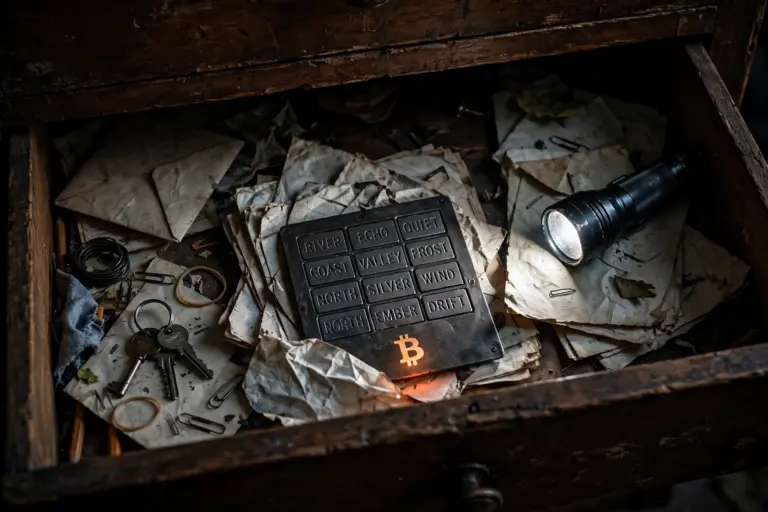
Keep the backup offline, on purpose. Write the words, in order, on paper or stamp them into metal. Store the copy somewhere only you can reach, away from fire, water, and casual visitors. Keep a second copy in a different location you control, so one accident does not take both copies.
Test the backup before you rely on it. Restoring on a spare device, or verifying the words with your wallet’s own check, confirms the copy is complete and in the right order. The guide to how to test a seed phrase backup without risking funds shows how to do this without putting funds at risk.
If you need a reminder that a backup exists, write a vague note instead, such as “wallet backup in the safe”. It tells future you where to look and tells an intruder nothing useful. Never write the words themselves in that note.
Respuestas rápidas
Is it safe to email yourself your seed phrase? No. Email stores copies on servers, synced devices, and backups you do not control, and an email account compromise exposes the phrase.
Does deleting the email fix it? No. Deletion removes the visible copy only. Server backups and synced devices may still hold it. Treat the phrase as exposed and move funds to a fresh seed phrase.
Is an encrypted email copy safe? It is safer than plain text, but still risky. The password is a weak point, and email remains the wrong place for a master key that should stay offline.
What if I only emailed part of the phrase? Treat it as a serious risk. Even a partial phrase narrows the search for an attacker, and combined with other clues in your mailbox it may be enough. Move to a fresh phrase to be safe.
What is the safest backup instead? Paper or metal, stored offline in a place you control, with a second copy in a separate location, tested before you rely on it.