



Can You Recover Bitcoin If Your Hardware Wallet Dies but You Have the Seed Phrase
Can You Recover Bitcoin If Your Hardware Wallet Dies but You Have the Seed Phrase
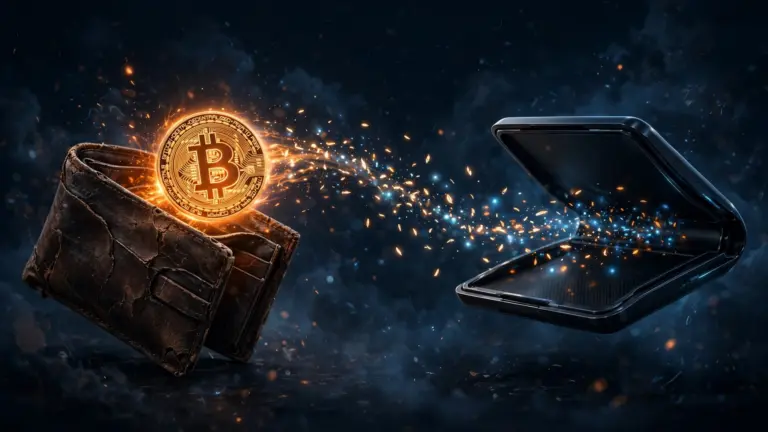
Yes, you can recover bitcoin if your hardware wallet dies, as long as you have the seed phrase. The bitcoin itself does not live inside the device. It lives on the Bitcoin network, and the seed phrase is the master key that recreates access to it. Enter that phrase, in the correct order, into a compatible wallet, and your addresses and balance should reappear.
Why a dead hardware wallet does not mean lost bitcoin
A hardware wallet is a signing device, not a storage box for coins. It holds your private keys in a secure chip and signs transactions without exposing those keys to an internet connected computer. The coins themselves are recorded on the blockchain, tied to addresses derived from your seed phrase.
That distinction is what makes recovery possible. If the screen cracks, the battery fails, or the device stops turning on, the keys are not gone, provided you still have the seed phrase backup. A new device can derive the same keys from the same phrase.
The one exception matters. If you have lost the seed phrase as well, a dead device is a serious problem. There is no help desk that can reset a seed phrase, and no backup copy hidden in the device for a repair shop to extract. That is why the backup, not the device, is the part to protect most carefully.
How to recover bitcoin if your hardware wallet dies
Work in private, on a device you trust, and take your time. A rushed mistake, such as entering words in the wrong order, causes confusion that looks like lost funds.
First, get a compatible replacement wallet. The simplest path is the same brand and model, because it will handle the same address types by default. A different brand also works in most cases, because seed phrases follow the BIP39 standard. A 12 word BIP39 phrase has 128 bits of entropy, and a 24 word phrase has 256 bits of entropy, but both are restored the same way: words, in order, with no additions.
Second, choose a safe place to restore. Ideally, restore directly onto a new hardware wallet, so the keys never touch an internet connected computer. If you must use a software wallet temporarily, treat it as a bridge, not a final home, and move the funds to a new hardware wallet as soon as you can.
Third, enter the seed phrase exactly as written. Check each word against your backup, one by one, and confirm the order. The order is part of the key. The guide to what happens if you mix up the order of your seed phrase words explains why a single swapped pair produces a completely different wallet.
Fourth, if you used a passphrase, sometimes called a 25th word, enter that too, exactly as you set it. A passphrase creates a separate hidden wallet. Restoring without it will show a different, usually empty, wallet, even though the seed phrase itself is correct. If you are not sure whether you used one, think carefully before assuming the recovery failed.
Fifth, let the wallet sync fully before judging the result. A new wallet needs time to scan for your addresses, and a zero balance during sync is normal. Wait until the scan finishes, and check that the address types match what you used before.
Finally, test before you trust the restored wallet. Send a small amount first if you plan to move funds, and confirm it arrives where you expect. The guide to how to verify a seed phrase before sending bitcoin to the wallet covers a safe test routine that works for a restored wallet too.
What to do if the new wallet shows a zero balance
A zero balance after a restore is frightening, but it does not automatically mean the bitcoin is gone. Work through the likely causes in order.
Check the word order first. Read the backup again, slowly, and compare it with what you entered. One wrong word, or two words swapped, creates a valid looking but empty wallet. If your wallet app offers a checksum check, use it.
Check the passphrase next. If you ever set one, even as an experiment, the wallet without it is a different wallet. Try only passphrases you actually used.
Check the address type and derivation path. Most modern wallets detect this automatically, but some let you choose. If your old wallet used a legacy, nested SegWit, or native SegWit format, the restored wallet must look at the same format to find the same addresses.
If none of these fix it, stop and get help from a trusted source, not from a random account that messages you first. Never share your seed phrase with anyone offering to recover funds. No legitimate support team needs your phrase.
What never to do during recovery
Never enter your seed phrase on a website. No real wallet recovery happens through a web form, and any site asking you to type your phrase is a phishing site. Recovery happens inside a wallet app or on a hardware device, never in a browser tab.
Never photograph the phrase, paste it into a notes app, or email it to yourself during the process. Those copies live on in cloud backups long after you think you deleted them. Keep the phrase on paper or metal, enter it directly, and put the backup away when done.
Never restore on a borrowed, public, or shared computer. Use only a device you own and trust, in a private room, with no one watching the screen.
Never throw the dead device away carelessly. If it still powers on, wipe it with the device’s own reset function first. If it is fully dead, physical destruction is safer, because you cannot verify what remains on its chip.
After recovery: secure the new setup
Once the funds are accessible again, do not leave them in a temporary software wallet. Move them to a new hardware wallet if the old backup is worn, damaged, or may have been seen during recovery. The guide to Bitcoin mit einer neuen Seed-Phrase in eine neue Wallet übertragen walks through that move.
Check the backup itself. Is it still readable, complete, and stored safely? If paper is faded or metal is damaged, make a fresh copy from the verified phrase, store it securely, then destroy the damaged copy. The guide to how to test a seed phrase backup without risking funds is useful here, because an untested backup is only a hope, not a plan.
Finally, keep a second backup in a different location you control. One copy is a single point of failure. Two copies, in two places, neither stored digitally, is a far stronger setup.
Schnelle Antworten
Can you recover bitcoin if your hardware wallet dies but you have the seed phrase? Yes. The seed phrase recreates the same keys on a compatible wallet, and the bitcoin is on the network, not inside the broken device.
Do you need the same brand of hardware wallet to recover? No, not usually. Most reputable wallets read standard BIP39 phrases, but the same brand is simplest because address types and defaults match.
Why does my restored wallet show zero bitcoin? The most common causes are words in the wrong order, a missing passphrase, a different address type, or a scan that has not finished yet. Check those in order before assuming the funds are lost.
Is it safe to restore into a software wallet? It works, but it is less secure than a hardware wallet, because the keys touch an internet connected device. Use it only temporarily, then move the funds to a new hardware wallet.
What if the hardware wallet dies and the seed phrase is also lost? Then recovery is not possible through any normal route. There is no reset process, and anyone claiming they can recover it for a fee should be treated as a scam.